📁
拖拽 .xlsx / .xlsm 文件到此处
Drag & drop .xlsx / .xlsm here
或点击选择文件(最大 16MB) · or click to select (max 16MB)
支持 .xlsx / .xlsm · 无需特定格式 · 高清效果图
Supports .xlsx / .xlsm · No special format · High-res output
Supports .xlsx / .xlsm · No special format · High-res output
📋 使用流程 · How It Works
❶ 上传 Excel · 无需特定格式,直接上传
Upload your Excel — no special format required
Upload your Excel — no special format required
❷ 联系客服 · 上传后联系客服处理
Contact our support after uploading
Contact our support after uploading
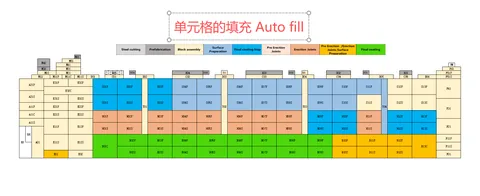
❸ 获取效果图 · 客服返回填色后的效果图
Receive the autofilled result image
Receive the autofilled result image
1
上传 Excel
Upload
Upload
2
联系客服
Contact
Contact
3
获取效果图
Get Result
Get Result
正在提交... Submitting...
📤
已提交成功 · Submitted
请通过 QQ 联系客服获取处理结果 · Contact us via QQ
联系 QQ: 164705301
1 个工作日内返回处理结果